|
|
|
|
|
|
Using the CGen GGB SET2DIL probe in-line coupon style
Application Note AP531
|
|
Specifying the standard and in-line coupon styles for the GGB SET2DIL Picoprobe The Polar CGen Coupon Generator includes coupon layout styles that accommodate the GGB SET2DIL Picoprobe (40A-GSSG-450-TLD); CGen allows for multiple reference and test traces to be arranged in-line (as shown below) to optimise board/coupon layout.
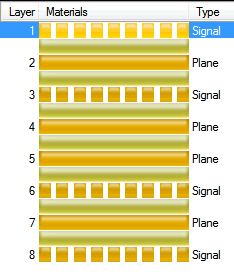
This note describes the procedure for using the GGB SET2DIL Picoprobe in-line coupon layout Start CGen and from the File menu choose New Coupon; specify 8 layers, ensure Symmetry is checked and assign Layers 2 and 4 as plane layers – CGen constructs the coupon as shown below.
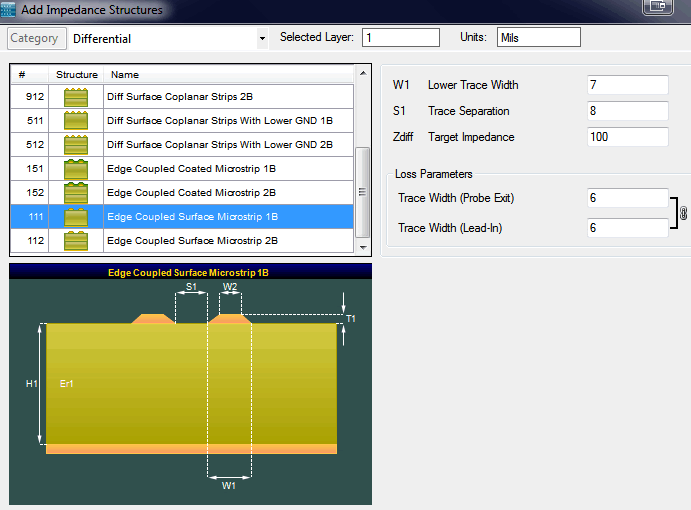
Right click Layer 1 and choose the differential structure Edge Coupled Surface Microstrip; click Add to add the structure to the Layer 1; repeat to add three structures to Layer 1.
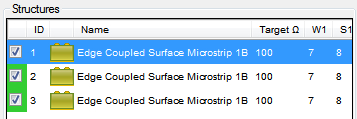
Close the dialog – the three structures are added to the Structures list.
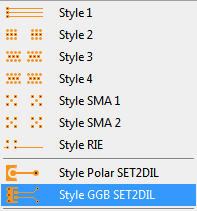
From the Styles dropdown choose Style GGB SET2DIL:
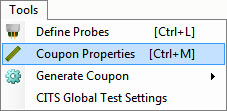
From the Tools menu select Coupon Properties:
The Coupon Properties dialog allows the dimensional parameters to be set for each coupon style – choose the GGB SET2DIL tab; note the Mode In-line check box. Note that a single Thru trace serves as reference trace for all three test traces:
The graphic below shows the Thru and first test trace in detail.
If space is not at a premium uncheck Mode In-Line – reference and test traces will be arranged side by side. CGen Si operates as both a standalone insertion loss or controlled impedance coupon generator. CGen Si works especially well in conjunction with Speedstack Si professional layer stackup design and documentation system. CGen PCB is a lower cost version of CGen with support for lossless controlled impedance coupons only. CGen PCB also stands alone, but works best with Speedstack PCB. |