2.3 Entering Parameter Values
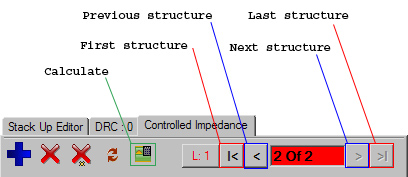
- Hit the 'First Structure' button to take you to the first structure added
- You should see the following (note the flashing parameter boxes that need to be filled)
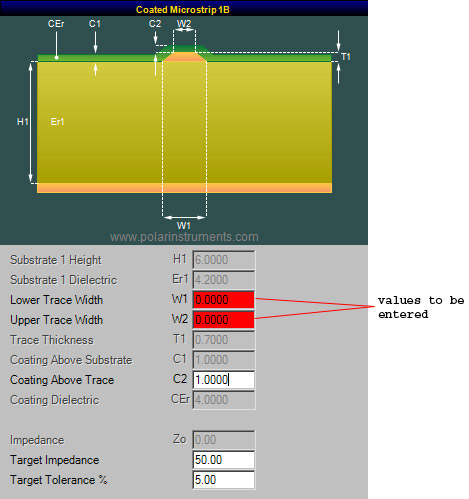
- Enter the values W1=3, W2=3
- Hit the 'Calculate' button.
- Now hit the 'Next structure' button to take you to the 2nd and last structure added
- For this structure, enter the values W1=3, W2=3, S1=6
- Now hit the 'Calculate' button
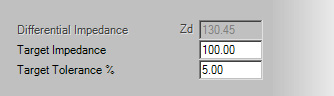
- With the current structure still selected, notice that the actual Impedance value is 130.45 from the values we have given, but our target Impedance is 100.