2.2 Applying Structures
- After hitting the 'Add Structure' button A new dialog will appear
- We are going to add a Single Trace and a Differential structure
- We will start by adding a Single Trace structure:
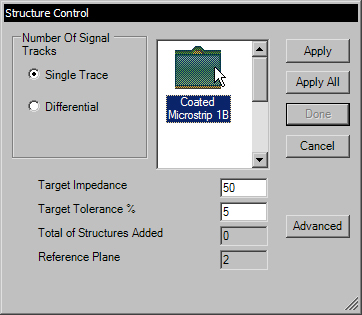
- Select 'Single Trace'
- Select the structure 'Coated Microstrip 1B' by clicking on it
- Set the target Impedance to 50
- Set the target Tolerance to 5%
- Hit the 'Apply' button.
- Hit the 'Done' button.
- You will see that the structure has now been added.
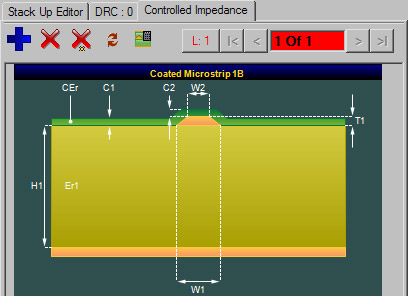
- We will now add a Differential Structure.
- Hit the 'Add Structure' button again to bring up the 'Add Structure' dialog

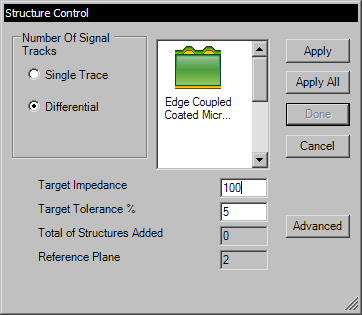
- Select 'Differential'
- Select the structure 'Edge Coupled Coated Microstrip 1B' by clicking on it
- Set the target Impedance to 100
- Set the target Tolerance to 5%
- Hit the 'Apply' button.
- Hit the 'Done' button.