|
|
|
|
|
|
Guidance notes for Structure Copy and Paste
Application Note AP558
|
|||
|
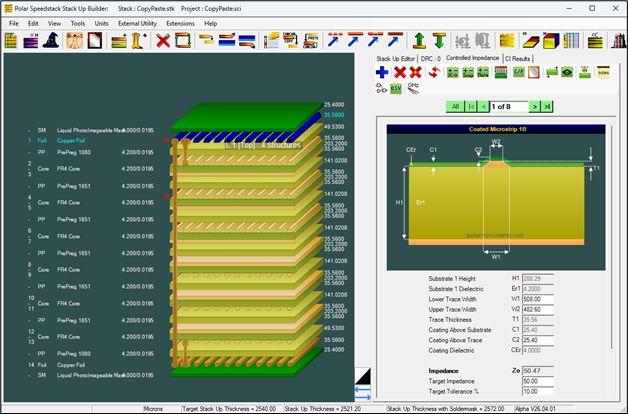
Guidance notes for Structure Copy and Paste Structure Copy and Paste allows single or multiple structures to be copied between layers. Note: when copying and pasting structures between layers it will be necessary to ensure that the structures are pasted to appropriate signal and plane layers. When specifying these signal and plane layers it is important to consider the influence of any intermediate electrical layers and how they might impact the pasted structures from a signal integrity viewpoint. Consider the stackup below.
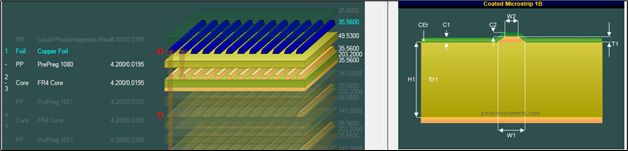
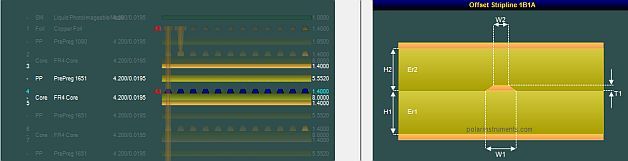
Select the Controlled Impedance tab to display the controlled impedance structures – the stackup contains has eight structures, four coated microstrips on layer 1, four offset striplines on layer 4. Note that this 14-layer stackup has very similar foil, prepreg and core materials throughout. Stepping through the eight structures displays the structures on each layer along with all the associated controlled impedance parameters for each structure. Example 1 Copying and pasting microstrip structures In this first example, microstrip structures will be copied from Layer 1 to Layer 14
Layer one structures
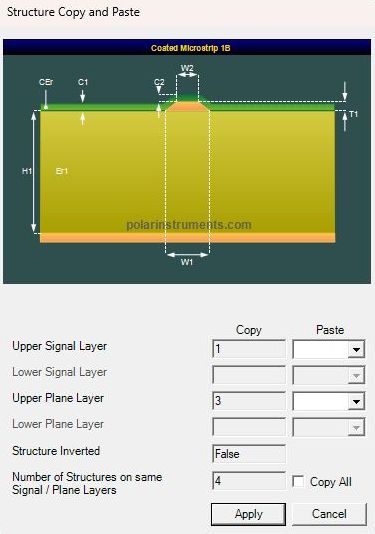
Specifying the source and target layers The dialog comprises the structure graphic and two columns:
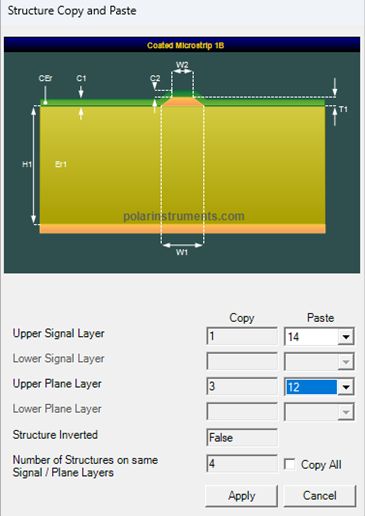
Choose the appropriate layers via the Paste dropdowns.
Click Apply – the selected structure will be reproduced on the specified destination layers. Rebuild the structures. Example 2 Copying and pasting stripline structures In this second example, stripline structures will be copied from Layer 4 to Layer 6 Switch to 2D view and select the Offset Stripline in Layer4
Layer 4 structures |
|||
|
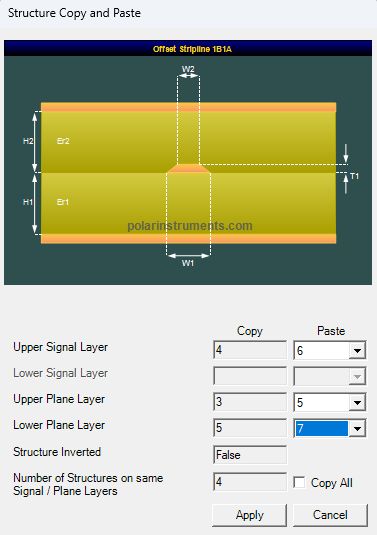
With the first structure on layer 4 selected click on the Copy / Paste Structures button – the Structure Copy and Paste dialog is displayed. Note that for this stripline structure, both Upper and Lower plane layers are specified in the Copy and Paste columns. |
||
|
In the Paste Column:
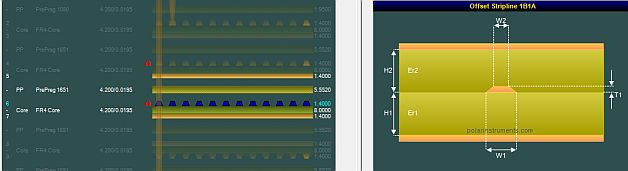
The new structure appears on the selected layers and Speedstack increments the total number of structures in the stackup.
Copying all of a layer’s structures Click the Copy All check box to copy all the structures on the originating layers to the specified destination layers. Many stackup designs have similar impedance structure requirements across multiple electrical layers. Once the initial set of structures has been added, |
|||