|
|
|
|
|
|
Guidance notes for Structure Layer Properties
Application Note AP559
|
||||
|
Guidance notes for Structure Layer Properties It is often convenient to base a new design on an existing stackup and then add or remove electrical layers to create the new stack, leaving the previous existing structures intact or to switch between layer types (Signal, Plane, Mixed, Hatched) without removing structures. Speedstack allows the designer to retain and re-allocate structures when changes are made to the electrical layers of the stackup. This enables reallocation of structures after the following stackup changes:
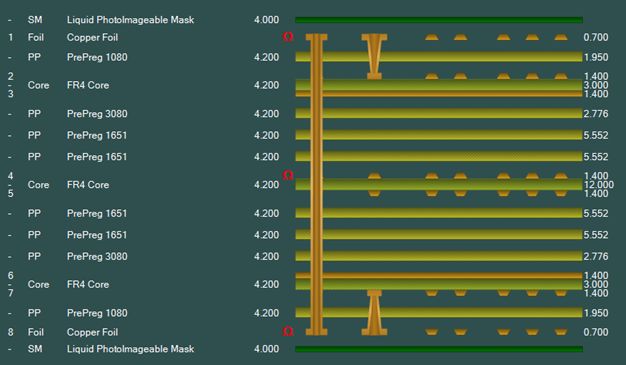
For the following example, consider the stack below.
Switching layer types and reallocating structures
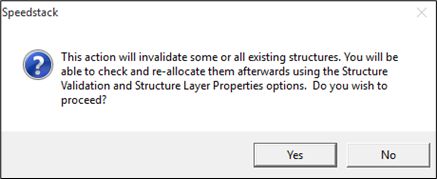
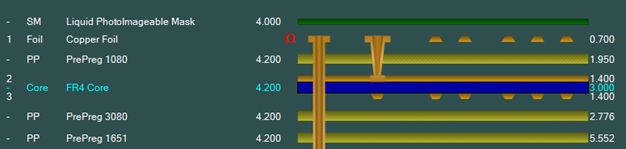
Select Yes to confirm the change to the stackup. The stack editor reflects the change in the stackup, layer 2 is a plane layer and layer 3 a signal layer.
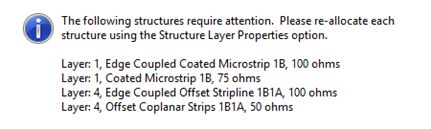
Speedstack also displays a flashing Rebuild indicator; due to the changes to the stackup it is necessary to refresh the structures.
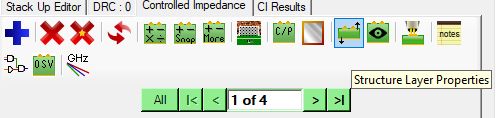
Click OK then click the Structure Layer Properties icon to reallocate the structures to the correct signal and plane layers.
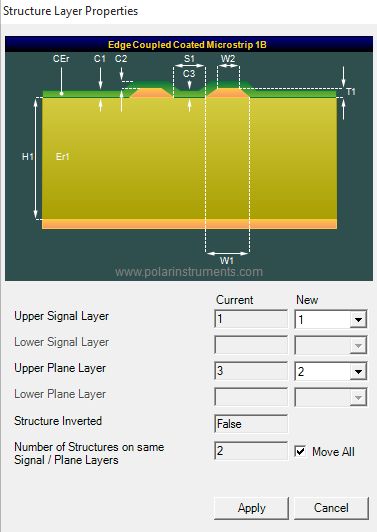
The Structure Layer Properties dialog includes two layer columns, the Current layer column and the New layer column. The Current column shows the Signal / Plane stackup layers assigned to the structure before the stackup was changed.
In this case, note the Upper Plane Layer is changed from layer 3 to layer 2. In many cases multiple structures will have the same Signal / Plane layer assignments. In the example above Speedstack indicates that there are two structures affected. Click the Move All check box to re-allocate all matching structures in a single operation then click Apply. |
||||